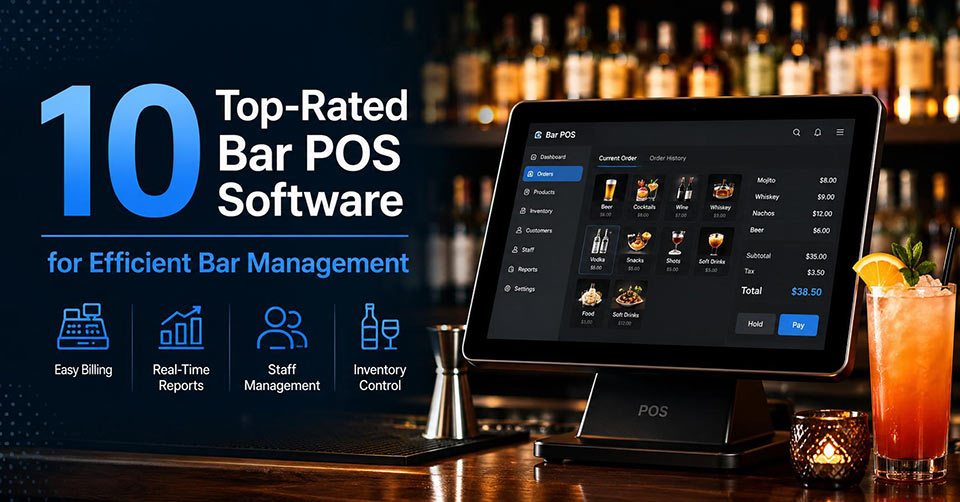
Operating a successful bar involves more than simply providing exceptional beverages; it also entails efficiency in operation. Bar POS software differs from general retail POS in which it caters to the needs such as quick order entry, open tab system, inventory management, employee scheduling, payments, and reporting among others. Some of these platforms incorporate mobile ordering and loyalty programs. In this article, we have compared ten best bar POS systems.
What Makes a Good Bar POS Software?
The ideal Bar POS software must be fast, reliable, and feature-packed enough to enable quick and efficient service delivery. Among the key features that should be considered while making your selection are the following:
- Ordering speed: This makes sure that orders can be processed quickly and helps cut down on waiting time.
- Open tab handling: This allows creating, editing, transferring, and closing customer tabs quickly.
- Split billing: It gives customers the opportunity to split their bills using various payment options without any time loss.
- Inventory management: Helps monitor your supply of liquor, mixers, and any other items you have in real-time mode.
- Automatic happy hour pricing: Saves time as all you need is to select the period when prices need to be discounted.
- Kitchen/bar printer integration: Orders are sent directly to a specific place without delays and mistakes.
- Employee scheduling/management: Helps manage the staff easily and in one place.
- Customer loyalty program: Makes customers come back due to discounts and personalized offers.
- Mobile order processing: Allows taking and sending orders via a handheld device.
Top-Rated Bar POS Software by Key Capabilities
Order Processing and Tab Management
Timely and efficient order processing is crucial for fast-paced bars where efficiency can have a direct effect on customer experience. Toast POS provides a variety of tools designed specifically for restaurants, such as custom menus, advanced tab management, mobile ordering, payment integration, and reports to make order processing easier for employees.
Square for restaurants streamlines tab management with a user-friendly interface that enables users to open, transfer, merge, and split tabs. While TouchBistro provides an efficient tab management solution by using an iPad system, which allows bartenders to handle several tabs at once and quickly process orders and payments.
Inventory and Menu Control
Effective inventory management ensures that bars minimize wastage and have their popular drinks available. The Lightspeed Restaurant software has inventory tracking capabilities and stock update tools to help with menu planning and purchasing decisions.
The Upserve by Lightspeed solution integrates the inventory tracking capabilities with sales analysis, which makes it easy to know which items and customer trends are performing well. Another option is the POS Nation, which has the capability to generate inventory reports using barcodes and stock management.
Automation and Increased Efficiency
Through automation, bar owners can minimize manual work, increase accuracy, and facilitate smoother processes. The Revel Systems software enables automated inventory updates, automated employee management, custom workflows, cloud-based reporting, and multi-locations management, thus a good option for bars with growth potential and large-scale operations.
With SpotOn Restaurant software, bar owners get increased efficiency due to automated scheduling, live sales reporting, online ordering system integration, and marketing.
Payment Flexibility and Guest Experience
Flexibility in the payment process can increase the speed of check-out and provide a superior guest experience. Clover POS offers contactless payments, digital wallets, splitting bills, gift cards, and customization of hardware, which makes it possible for bars to provide efficient service to guests in different environments.
Epos Now has secure payment processing, various payment options, cloud management, and loyalty programs for customers. The user-friendly interface and third-party integration opportunities make it an attractive solution for bars that want to increase their efficiency and customer satisfaction.
Choosing the Proper Bar POS System Software
The selection of the right POS system software for bars depends on different factors including the size of the bar, the financial resources available to invest, the need for inventory management, and the number of locations that one operates. The best POS system software should be able to process orders quickly, manage tabs efficiently, and be scalable in case there is growth in the business.
Other factors to consider include the hardware that will work with the software, usability, reports, compatibility with other systems, customer service, and the price. It helps to take advantage of free trials and product demonstrations to test the software.
Final thoughts
The ideal POS system for a bar will be the one that is most suited to your purposes and requirements. Whatever it may be; speed in order taking, inventory management, automation, or flexibility in payments, finding the right POS system with the right feature set will go a long way in ensuring business success.
Frequently Asked Questions
1. What is bar POS software?
Bar POS software is a point-of-sale system designed specifically for bars, pubs, and lounges. It helps manage orders, open tabs, inventory, payments, employee schedules, and sales reporting from a single platform.
2. What features should a bar POS system include?
A good bar POS system should offer fast order entry, tab management, split payments, inventory tracking, reporting, employee management, customer loyalty programs, and integrations with accounting or payroll software.
3. Can bar POS software track liquor inventory?
Yes. Most modern bar POS systems include inventory management tools that automatically update stock levels after each sale, helping reduce waste, prevent shortages, and improve purchasing decisions.
4. Is cloud-based bar POS software better than traditional systems?
Cloud-based POS systems provide real-time data access, automatic software updates, remote management, and easier scalability, making them a popular choice for both single-location and multi-location bars.
5. How much does bar POS software cost?
Pricing varies depending on the provider, features, hardware requirements, and subscription plan. Many solutions offer monthly plans, while some also provide custom pricing for larger or multi-location businesses.