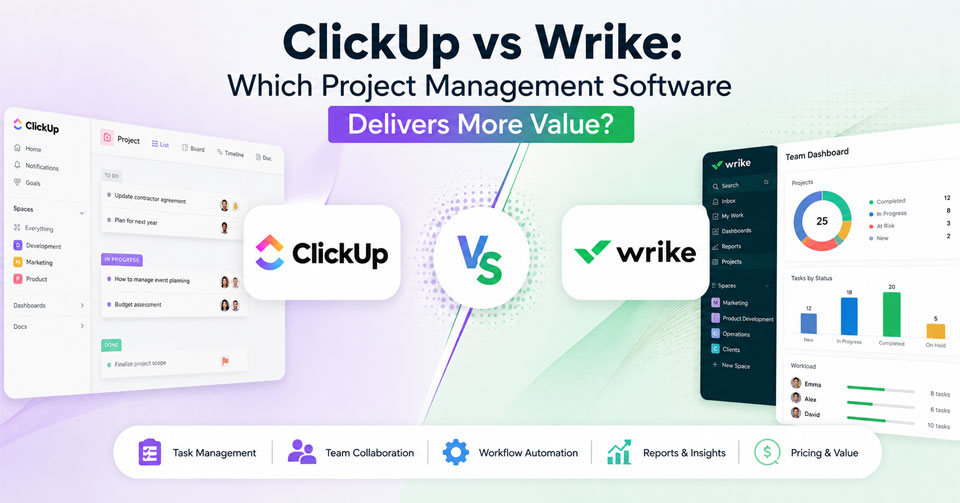
Selecting an appropriate project management tool can make a huge difference in the way your team plans and works. Irrespective of whether you run a small business, a startup that is scaling up, or a big enterprise, choosing a software that suits your processes is absolutely necessary for being productive. The following discussion between ClickUp vs Wrike will help you understand the differences between the two topmost project management tools and choose the one that fits your organization the best.
What Is ClickUp?
ClickUp is an all-in-one project management software designed to integrate several workplace solutions into one platform. This involves task management, document management, goal management, dashboard, time tracking, collaboration, and automation.
It is commonly used by startups, marketing companies, software development firms, agencies, and companies needing some customization. The team can set up its workflow, have multiple views for the project, and automate tasks.
Features
- Task & project management
- Multiple project views (List, Board, Calendar, Gantt, Timeline)
- Docs and knowledge management
- Goal & OKR tracking
- Time tracking
- Workflow automation
- Custom dashboards
- Team collaboration features
- Whiteboards
- Productivity features based on AI
- Integrations
What is Wrike?
Wrike is a cloud-based project management tool designed to help enterprises and other organizations that need structured planning and collaboration to manage their projects.
It is extensively used by marketing agencies, service providers, IT departments, and enterprise companies managing several projects at once.
Features
- Project and task management
- Interactive Gantt charts
- Workload management
- Resource management
- Request forms
- Proofing and approval
- Time tracking
- Automation of workflow
- Dashboard and analytics
- File sharing
- Enterprise-level security
- Integrations with third parties
ClickUp vs Wrike: Feature Comparison
| Feature | ClickUp | Wrike |
|---|---|---|
| Task Management | Highly customizable | Structured task management |
| Project Views | List, Board, Calendar, Timeline, Gantt, Mind Maps | List, Board, Table, Calendar, Gantt |
| Workflow Automation | Advanced | Advanced |
| Time Tracking | Built-in | Built-in |
| Resource Management | Available | More advanced |
| Goal Tracking | Yes | Limited |
| Collaboration Tools | Docs, Chat, Whiteboards | Comments, Proofing, Approvals |
| Reporting | Custom dashboards | Advanced analytics |
| AI Features | Built-in AI assistant | AI capabilities available |
| Integrations | 1,000+ integrations | Hundreds of integrations |
| Mobile App | Yes | Yes |
Ease of Use
The ClickUp software provides a high level of customization with flexible dashboards, workflows, and various project views; however, new users require time to get acquainted with all the functionality of the software. Wrike implements a more systematic approach, offering users well-organized folders and workspaces and is great for teams who favor systematic project management.
Project and Task Management
The management software offers customizable task management features with subtasks, dependencies, recurring tasks, and multiple project views. Wrike specializes in project planning using templates, timelines, dependencies, and other features helping manage complex projects effectively.
Collaboration Tools
ClickUp has a wide range of built-in collaboration tools that include Docs, Whiteboards, comments, and task discussions. Wrike places emphasis on collaboration via file sharing, comments, proofing, and approval workflow and is best suited for creative and marketing teams.
Workflow Automation
The project management software ClickUp offers its users an opportunity to automate routine activities like assignments, status changes, and notifications through no-code workflows. Wrike automates various processes through rules including approval, request, and recurring process management.
Reporting & Analytics
When looking at these two software ClickUp provides users with custom dashboard options to monitor progress, productivity, goals, and workloads. Wrike boasts superior reporting and analytics with valuable information on project performance, resource allocation, and team effectiveness.
Resource Management
ClickUp comes equipped with workload views and capacity planning for effective management of team workload balancing. Wrike provides a higher level of resource management functionality through scheduling, forecasting, and workload planning, making it a good fit for large companies.
Integration
ClickUp can be integrated with over 1,000 applications, including Slack, Microsoft Teams, Salesforce, and Google Workspace. While Wrike can integrate with numerous applications as well, its integration environment is smaller than that of ClickUp.
ClickUp
Pros
- Highly customizable workspace
- Excellent value for growing teams
- Built-in documents, goals, and whiteboards
- Powerful workflow automation
- Large integration ecosystem
- Multiple project visualization options
- Comprehensive free plan
Cons
- Learning curve for new users
- Extensive customization can feel overwhelming
- Some advanced features require paid plans
Wrike
Pros
- Strong enterprise project management capabilities
- Advanced resource planning
- Excellent reporting and analytics
- Built-in proofing and approval workflows
- Reliable security and compliance features
- Well suited for large organizations
Cons
- Premium features require higher-priced plans
- Interface offers less flexibility than ClickUp
- Smaller integration library
ClickUp vs Wrike: Which Software Should You Choose?
In conclusion, the ClickUp vs Wrike comparison will depend on the requirements of your organization. ClickUp would be more suitable for teams that are looking for customization and automation options. On the other hand, Wrike would be perfect for those who need advanced project management capabilities and resource planning.
Frequently Asked Questions
What is the main difference between ClickUp and Wrike?
ClickUp focuses on flexibility and customization with an all-in-one workspace, while Wrike emphasizes structured project management, resource planning, and enterprise collaboration.
Is ClickUp better for small businesses?
Yes. ClickUp is often a better choice for startups and small businesses because of its affordable pricing, generous free plan, and customizable features.
Does Wrike support resource management?
Yes. Wrike offers advanced workload management, capacity planning, scheduling, and resource allocation tools for larger organizations.
Which platform has better automation?
Both offer powerful automation, but ClickUp provides greater flexibility for creating customized workflow automations across various business processes.
Can both platforms integrate with third-party applications?
Yes. Both integrate with popular tools like Slack, Google Workspace, Microsoft Teams, Salesforce, Zoom, and many other business applications.
Which platform offers better value?
ClickUp generally provides better value for growing businesses due to its feature-rich free plan and affordable paid tiers, while Wrike delivers greater value for enterprises requiring advanced resource management, governance, and reporting.