A university LMS has to serve an entire campus, not just individual courses. Faculty need efficient ways to build classes and grade work, students need reliable access to materials and feedback, and administrators need visibility across departments. That makes choosing the right Learning Management Software an institutional decision rather than simply a technology purchase.
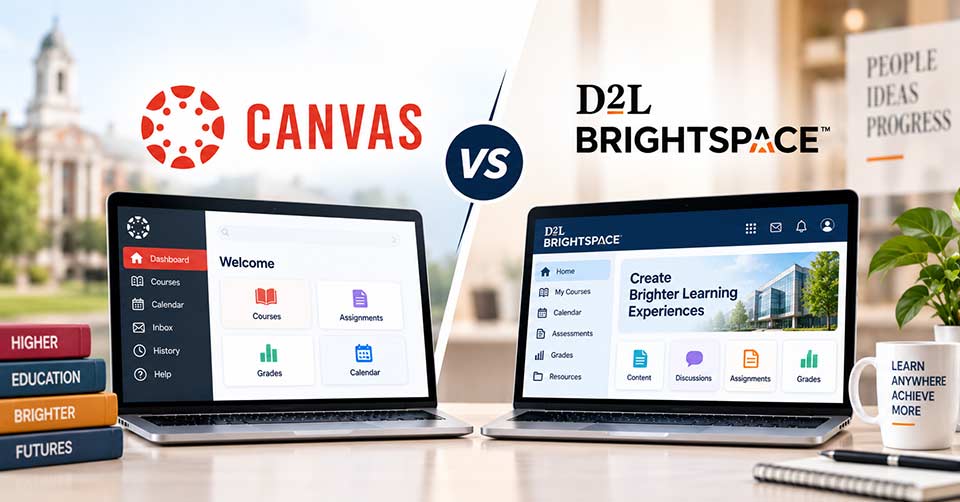
The Canvas vs Brightspace comparison is particularly relevant for colleges and universities considering how their digital learning environment should function. Both platforms support online courses, assessments, communication, analytics, and integrations, but their strengths can matter differently depending on campus priorities.
What Matters Most on a College Campus?
Before comparing individual tools, universities should consider how the LMS fits into everyday academic life.
| Campus Priority | Canvas | Brightspace |
|---|---|---|
| Faculty experience | Intuitive and streamlined | Flexible and structured |
| Student experience | Simple navigation | Personalized learning options |
| Assessment | Strong grading workflows | Advanced assessment tools |
| Analytics | Course and student insights | Detailed learning analytics |
| Integrations | Extensive ecosystem | Extensive integrations |
| Mobile learning | Dedicated mobile apps | Dedicated mobile apps |
| Personalization | Supported | Strong emphasis |
| Administration | Centralized management | Strong institutional controls |
Canvas: Where It Can Work Well
Adoption by Faculty Members
Canvas is user-friendly in nature. It has features such as the organization of courses, handling of assignments, assessment of students, and navigation that ensure ease of use. Institutions implementing LMS in multiple departments need to provide a friendly interface for users.
Navigation by Students
Students tend to attend various classes concurrently. Therefore, having an easy-to-navigate system is crucial. Canvas offers a common platform where learners access information, assignments, grades, announcements, and discussion forums.
Connected Campus Tools
It is seldom that a university will run its LMS in isolation. Canvas provides integration with third-party education and institutional solutions to facilitate connecting learning to other campus solutions. This feature may be very helpful if an organization has a well-developed digital ecosystem.
Possible Limitation
Canvas offers a structured environment which is good from the perspective of uniformity, but organizations expecting radical changes in the platform itself need to review customization possibilities of Canvas.
Brightspace: Where It Can Work Well
Personalized Learning
Learning with Brightspace involves personalized learning. The system’s functionalities can assist institutions in organizing the learning process according to various learners’ needs, abilities, and goals. Therefore, Brightspace can be a good choice for institutions aiming at personalized digital learning.
Assessment and Feedback
The assessment of students’ knowledge and skills is a vital part of academic learning. The system offers various tools related to assignments, quizzes, grading, rubrics, and feedback that may assist institutions in developing their assessment processes within LMS environment.
Institutional Analytics
Sometimes institutions need information that goes beyond the course marks. Brightspace offers analytics and insights which might assist universities in understanding the activities and academic performance of their learners. This feature might be especially helpful to institutions working on data-based approaches to student assistance.
Potential Drawback
A large range of features offered by Brightspace might require additional planning and training. It is important for universities to understand if faculty members and administrators have enough time and resources for using it fully.
Campus Experience and Administration
Faculty and Student Experience
Those who utilize the Learning Management Software everyday are the key decision-makers.
Canvas might be attractive to institutions that value simplicity of course management and work processes for both instructors and students. Brightspace might appeal to those universities that need more customization options, as well as more structured approaches to learning and additional institutional analytics capabilities.
None of these two is better from the get-go. The most important thing to consider is compatibility with existing digital behavior.
Campus Administration and Scalability
Universities with thousands of users can be found across multiple faculties, departments, programs, and campuses. The Learning Management System has to accommodate such scalability by providing administration features that do not make the courses hard to administer.
Both Canvas and Brightspace provide features related to user management, course management, permissions, integrations, and reporting. These should be evaluated using actual university case studies instead of product demos only.
A Campus Selection Checklist
Before selecting Learning Management Software, evaluate:
- Faculty training requirements
- Student navigation and accessibility
- Assessment and grading workflows
- Mobile learning experience
- Integration with existing campus systems
- Analytics and reporting needs
- Administrative controls
- Customization requirements
- Technical support resources
- Long-term scalability and cost
Canvas vs Brightspace: Final Considerations
The Canvas vs Brightspace decision should ultimately reflect how a university teaches, manages academic programs, and supports students.
Canvas may suit campuses that value usability, consistency, and connected workflows. Brightspace can be compelling for institutions placing greater emphasis on personalization, assessment depth, and institutional analytics.
When evaluating Brightspace vs Canvas, universities should involve faculty, students, IT teams, and academic administrators in the process. Their combined feedback can reveal which Learning Management Software is most practical for the campus as a whole.
Frequently Asked Questions (FAQs)
1. Is Canvas better than Brightspace for universities?
Neither LMS is universally better. Canvas may be a strong fit for institutions prioritizing simplicity and ease of use, while Brightspace may suit universities seeking deeper personalization, assessment tools, and institutional analytics.
2. What is the main difference between Canvas and Brightspace?
Canvas generally emphasizes a streamlined user experience and straightforward course management. Brightspace places greater emphasis on personalized learning, assessment capabilities, and detailed learning analytics.
3. Which LMS is easier for faculty to use, Canvas or Brightspace?
Canvas is often considered easier to navigate because of its streamlined interface and course workflows. However, the learning curve for either platform can depend on faculty training and how the university configures its LMS.
4. Can Canvas and Brightspace integrate with other university systems?
Yes. Both platforms support integrations with various educational and institutional technologies, allowing universities to connect their LMS with other campus systems and digital tools.
5. How should a university choose between Canvas and Brightspace?
Universities should compare faculty and student experience, assessment workflows, analytics, integrations, accessibility, administrative controls, customization, support requirements, scalability, and overall cost before making a decision.