Schools need more from an LMS than a place to upload assignments. Teachers need practical tools for delivering lessons, communicating with students, assessing work, and tracking progress, while administrators need a system that can support different grades, subjects, and teaching styles.
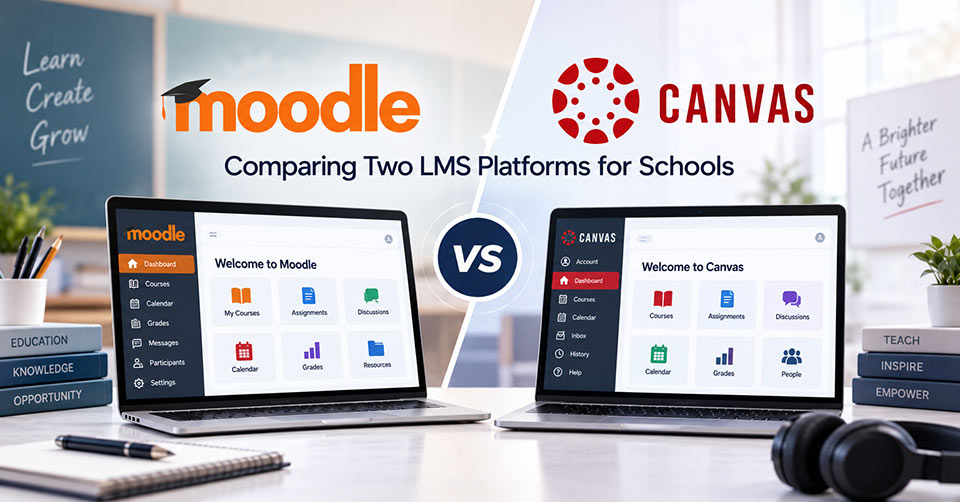
When comparing digital learning platforms, Moodle vs Canvas offers schools two different approaches to course management, customization, and classroom engagement. The right choice depends on how a school operates, how much control it needs, and what teachers and students expect from their LMS.
Moodle vs. Canvas: A Quick Overview
Moodle is an open-source platform that is renowned for its flexible nature and numerous opportunities for customization. It enables schools to customize its functionality, use plug-ins, and manage it in any way the institution wants. Canvas, on the other hand, is a cloud-based Learning Management software designed to provide users with a well-structured and convenient environment in which to manage courses, assess learners, communicate, and engage students.
Moodle: Pros and Cons
Highly Customizable
Flexibility is one of the biggest pros of Moodle since schools can change the looks and functions of the platform, configure user permissions, and adjust the structure of the courses depending on the institution’s needs. This software can be used by schools which have some special approaches to teaching.
Open-Source Software
When comparing Moodle vs Canvas, Moodle is an open-source product; thus, schools have more options concerning the implementation and management of the platform. Schools are able to manage the hosting and customize the system depending on their needs.
Plugins
There is a rich set of plugins which can be installed on Moodle to enrich its functionality. The institutions can install plugins for assessment, collaboration, analytics, content and other educational activities.
Technical Side
Flexibility of Moodle can lead to more technical issues since the schools are responsible for hosting, updating, backing up the system, maintaining its security, and fixing problems.
High Administrative Load
Administrators have full control over the Moodle system, which is good but can be quite difficult to implement since they will have to install various plugins, set up permissions, integrate systems, etc.
Canvas: Pros and Cons
User-Friendly Interface
The Canvas is structured around a user-friendly interface where teachers can structure course materials, assignments, discussions, and grading. This feature may be quite helpful for schools that are adopting LMS in many classrooms.
Cloud-Based Platform
Being a cloud-based platform, Canvas eliminates the need for school administration and educators to manage the platform’s infrastructure themselves, allowing them to concentrate on education.
Good Assessment Capabilities
Assessment is one of the main features of Canvas, as teachers can create assignments, quizzes, discussions, rubrics, grading, and evaluate student performance. Thus, this learning management system can be considered a good tool for schools that utilize digital assessment in their activities.
Limited Deep Customization
Canvas offers some configuration capabilities; however, for those schools that need deeper customizations of the platform itself, this solution will be less attractive than an open-source alternative.
Cost Considerations
When looking at the Moodle vs Canvas debate, budget becomes a vital factor. The cost of running the Learning Management System includes not only the licensing fees, but also other expenditures related to its deployment and maintenance.
| Pricing Factor | Moodle | Canvas |
|---|---|---|
| Core LMS | Free, open-source | Quote-based |
| Cloud Hosting | MoodleCloud has paid plans | Included through institutional contract |
| Self-Hosting | No software license fee | Not applicable |
| Free Option | Free self-hosted LMS; MoodleCloud also offers a limited trial | No public free institutional plan |
| Pricing Model | Hosting/subscription or self-managed | Institution-specific quote |
| Additional Costs | Hosting, maintenance, support, customization | May vary by selected tier and services |
School LMS Selection Checklist
Before selecting between Moodle vs Canvas, schools should consider:
- Is it easy for teachers to create and manage courses?
- Can students navigate lessons and assignments easily?
- Does it support the school’s assessment and grading methods?
- Is mobile access available for students and teachers?
- Can it integrate with existing school systems?
- How much customization does the school require?
- Who will handle technical maintenance and support?
- Does the platform meet accessibility and security requirements?
- Can it accommodate future enrollment and learning needs?
- Does the overall cost fit the school’s budget?
Final Considerations
The right way to understand the persepctive on Moodle vs Canvas comparion, you must know what the school values most. Moodle can provide extensive flexibility and control for institutions prepared to manage a customizable environment, while Canvas offers a managed approach with a structured experience for teachers and students.
Schools should consider their teaching methods, technical resources, budget, student needs, and future plans before making a decision. The right platform should support learning goals without introducing unnecessary complexity.
Frequently Asked Questions
1. Is Moodle or Canvas easier for teachers to use?
Canvas generally offers a more standardized and intuitive interface, while Moodle provides greater flexibility but may require more setup and configuration.
2. Can Moodle and Canvas support online assessments?
Yes. Both platforms support quizzes, assignments, grading, feedback, and other assessment tools for different teaching and learning requirements.
3. Which platform offers more customization?
Moodle generally provides more customization because it is open-source and supports extensive plugins and configuration options.
4. Do Moodle and Canvas support mobile learning?
Yes. Both provide mobile applications that allow students and teachers to access courses, assignments, and other learning activities.
5. What should schools consider when choosing between Moodle and Canvas?
Schools should consider ease of use, customization, assessment tools, mobile access, integrations, technical resources, security, scalability, and overall costs.