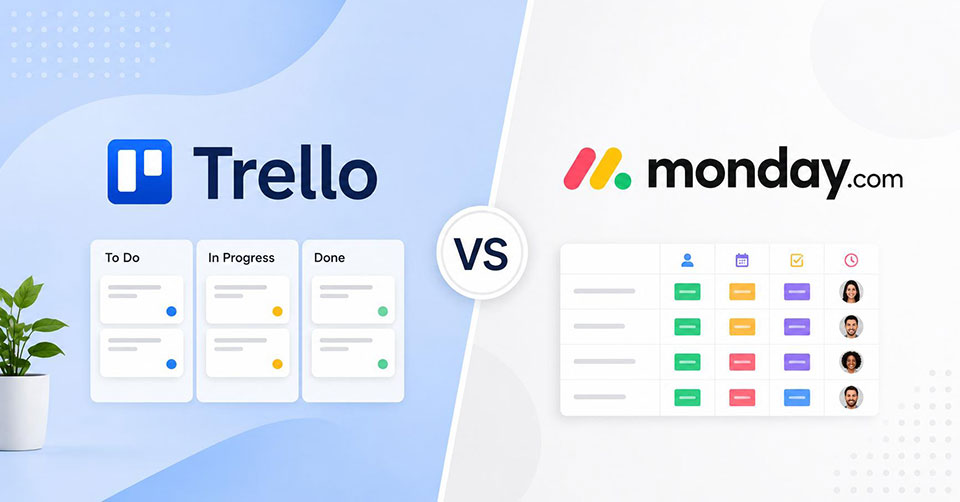
To be honest, it is a choice based on unique preferences and requirements. Many go with Trello as they want an affordable Kanban board that keeps tasks organized without a steep learning curve. Others choose monday.com if their team manages larger projects and needs timelines, Gantt charts, automations, and deeper insights. When comparing Trello vs monday.com, the best option depends on how your team plans, tracks, and scales work.
Trello vs Monday.com: A Detailed Comparison
The right tool makes teamwork easier and more organized. See how Trello and monday.com compare across features, usability, and team needs.
Usability and Setup
Trello offers a simple experience from the start. Its board based system uses familiar elements like lists and cards to help teams manage tasks. With minimal setup required, users can begin organizing projects quickly and spend less time understanding the software.
Meanwhile, monday.com takes a different approach. The interface packs more information onto the screen and gives you greater control over how projects are structured. There is more to learn at the start. Still, once your workflows become more detailed and involve multiple teams, the added flexibility starts to make a lot more sense for day to day operations.
Project Views and Workflow Visualization
Trello’s simple board based system makes project management easier for many users. Tasks stay organized across boards and move between stages through drag and drop, giving teams a clear view of progress. The platform includes additional views, but advanced capabilities often require upgraded plans. Trello continues to prioritize simple Kanban style management.
Unlike a simple board focused approach, monday.com includes various project views from day one. Users can switch between timelines, calendars, workloads, maps, and Gantt charts to match different project requirements. Some people find all those choices excessive. Yet for managers tracking deadlines, resources, and dependencies across several projects, the variety proves useful pretty quickly.
Team Collaboration and Communication
Trello keeps communication connected to the work itself. Teams can comment on tasks, share files, and monitor updates without extra complexity. The clean interface makes collaboration easier for small teams.
Monday.com offers many of the same collaboration tools, yet the experience feels more structured. Conversations, attachments, notifications, and updates stay connected to workflows. As projects grow and more people get involved, keeping discussions linked to specific tasks becomes much easier.
Workflow Automation and Smart Features
Trello relies on Butler for automation. The system works well for routine actions such as moving cards and assigning members. It also helps with tasks like sending reminders and updating statuses, reducing manual work. If your process lives inside a single board, setup stays straightforward and maintenance rarely becomes a headache.
By comparison, monday.com pushes automation much further. You can create workflows that connect multiple boards and trigger actions across teams. The platform reduces repetitive administrative tasks through automation. It also includes AI driven features that help organize information and summarize updates, keeping projects on track with less manual effort. For growing organizations, these improvements create value over time.
Performance Tracking and Reporting
Reporting in Trello is designed to stay simple and easy to understand. Teams can review project activity and track progress without managing complex reports. It works best for users who need quick visibility into their work. For users who need advanced reporting, detailed metrics, or time tracking, Trello often requires Power Ups and external integrations.
Analytics play a bigger role in monday.com’s overall experience. Dashboards collect information from different workflows and present it in one place, giving teams better visibility into performance and project status. Native time tracking adds more control without relying on separate software. For teams that make decisions based on data, that added visibility is hard to ignore.
Integration Support
Trello expands through Power Ups, which let you add features and external connections individually. You can link tools like Google Drive, calendars, and communication platforms based on your needs. This selective approach keeps boards uncluttered and suits teams that want a lightweight system with only necessary integrations.
Monday.com offers a wide app marketplace with connections to various business tools. Its integrations support broader workflows, helping information move smoothly between systems. This makes it a strong choice for organizations using multiple platforms.
Mobile App Functionality
Trello keeps its mobile experience simple and familiar. You can manage boards, update tasks, and review progress without needing access to a computer. A useful advantage is limited offline access, allowing you to view certain information without an internet connection.
Monday.com extends its platform experience to mobile users through iOS and Android apps. Users can manage workflows, check updates, and communicate with teams while away from their computers.
Security and Admin Controls
Trello protects project information through standard security measures and user permissions. Administrators can control board access and manage who participates in projects. The system remains easy to oversee, which appeals to smaller teams that need dependable data protection without spending significant time on administration.
With advanced administrative tools, monday.com helps organizations manage access and responsibilities more effectively. Managers can customize permissions and maintain better control across complex team structures.
Cost Considerations and Overall Value
If budget sits near the top of your priority list, Trello has a strong advantage. The free plan covers a lot for individuals and small teams, while paid plans remain affordable compared to many project management platforms. You get enough functionality to run organized projects without making a large financial commitment.
Monday.com asks for a bigger investment from the start. The platform has a minimum seat requirement, and advanced capabilities are available on higher-priced plans. The pricing feels reasonable for organizations managing complex workflows, reporting demands, and larger teams. However, teams with simpler needs may find Trello offers better value without paying for extra features.
Choosing Between Trello and Monday.com Based on Team Needs
The best choice depends on your team’s structure and how you manage projects. Smaller teams may prefer simplicity, while larger teams often need more flexibility.
Who Should Consider Trello
- Teams that need a simple approach for managing everyday projects.
- Businesses that need a platform they can start using quickly.
- Organizations seeking simple tools without high costs.
- Users who prefer a visual board system for organizing daily tasks.
- Businesses with straightforward projects that do not require complex workflows.
- Teams that value simplicity over extensive customization options.
- Organizations that need basic collaboration features without unnecessary complexity.
Who Should Consider Monday.com
- Growing or large teams managing multiple complex projects at the same time.
- Organizations handling detailed workflows with multiple stages, dependencies, and team members.
- Managers who need clear resource allocation and workload visibility.
- Businesses requiring custom status columns, dashboards, and advanced project tracking.
- Teams that need better visibility across different departments and workflows.
- Companies looking for flexible tools to support changing processes and larger operations.
- Organizations that rely on reporting, automation, and data driven decisions.
Conclusion
Trello and monday.com serve different types of teams. Trello stands out for simplicity, affordability, and quick adoption. Monday.com brings stronger reporting, automation, and project oversight for larger operations. If your focus is straightforward task management, Trello is a solid fit. If you need greater visibility and control as work expands, monday.com offers more room to grow.
Frequently Asked Questions
Does Trello integrate with Monday?
Yes. Trello integrates with monday.com through third party tools like Zapier, Make, and Unito. These integrations help teams sync tasks, automate updates, and share project information between platforms without manually duplicating work across systems.
What is better than Monday.com?
The answer depends on your requirements. Asana works well for task management, ClickUp offers extensive customization, and Jira suits software teams. Each alternative serves different workflows, so the best choice depends on your team structure and project complexity.
Why do people use Monday.com instead of Slack?
People choose monday.com when they need project management rather than communication alone. It helps teams track tasks, deadlines, workloads, and progress in one place. Slack focuses mainly on messaging, while monday.com provides greater operational visibility.
What are the disadvantages of Trello?
Trello’s simplicity becomes limiting for complex projects. Advanced reporting, resource management, and native time tracking are less extensive than many competitors. Growing teams often need extra Power Ups or integrations to support more detailed workflows and analysis.
Is Monday.com a CRM or CMS?
Monday.com is not a CMS. It is primarily a work management platform for projects, workflows, and team collaboration. While not a traditional CRM, it offers monday CRM, which helps businesses manage leads, contacts, sales pipelines, customer relationships, and revenue tracking.