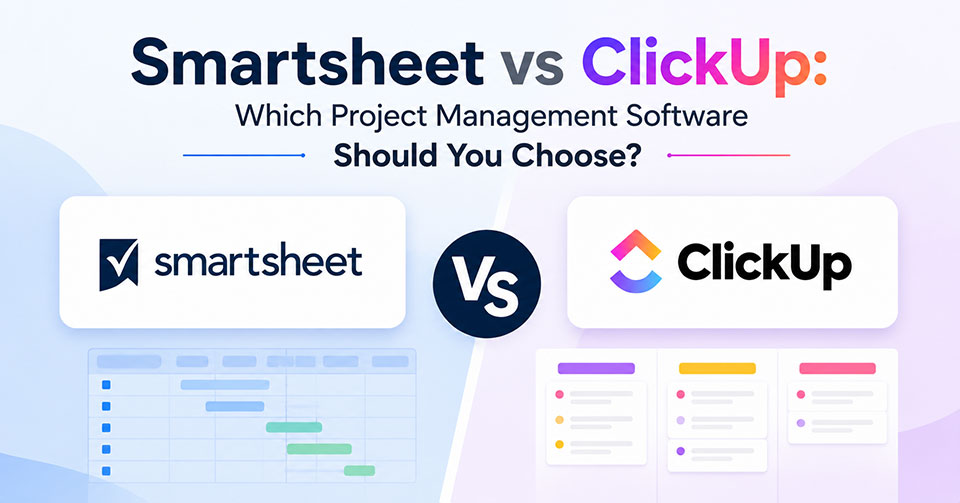
Project management software makes sure that everything is done in an organized manner, and that there is efficiency when working on any project. In the case of Smartsheet vs ClickUp, it all comes down to choosing one based on the workflow, collaboration, and requirements of the business. The two have different elements such as usability and customization.
Smartsheet vs ClickUp at a Glance
| Feature | Smartsheet | ClickUp |
|---|---|---|
| Best For | Enterprise work management | All-in-one project management |
| Deployment | Cloud based | Cloud based |
| Free Plan | Yes | Yes |
| Starting Price | Mention current pricing | Mention current pricing |
| Mobile App | Yes | Yes |
| Time Tracking | Available | Built in |
| Automation | Advanced | Advanced |
| Integrations | 100+ | 1,000+ |
| Ideal Users | Large organizations | Teams of all sizes |
Core Feature Comparison
Both Smartsheet and ClickUp offer comprehensive project management capabilities, but they differ in how they handle collaboration, automation, reporting, and customization. Comparing their core features side by side makes it easier to identify which platform is the better fit for your team’s workflow.
Interface & User Friendly
Smartsheet offers a user friendly approach towards building dashboards which is suitable for a particular style of work. This application employs the spreadsheet interface that could make it easier for people who are used to working with Microsoft Excel or Google Sheets.
In contrast, ClickUp offers a fully customizable workspace allowing various layout types, widgets and other customizable options. While its multitude of features raises the learning curve, it offers the chance for teams to organize projects in accordance with their preferences.
Verdict: Smartsheet is user friendlier for projects that require spreadsheets.
Project and Task Management
With Smartsheet, users can build tasks, assign owners, track dependencies, plan projects through Gantt charts, and automate repetitive processes. Templates allow companies to have a consistent project planning process, whereas different project views facilitate efficient project tracking in various departments.
ClickUp offers a complete array of task management tools, such as subtasks, priorities, dependencies, recurring tasks, custom statuses, time tracking, more than a dozen project views like List, Board, Calendar, Gantt, Timeline, Mind Maps, and much more.
Verdict: ClickUp wins with its larger number of project views and task management tools.
Collaboration and Communication
The Smartsheet platform facilitates collaboration via comments, attachment of files, automated alerts, proofing features, and approvals. Workspaces along with integration with Microsoft Teams and Slack facilitate teamwork for projects even when distributed among team members.
ClickUp integrates collaboration features such as Docs, Whiteboard, comments on tasks, mentions, live collaboration, chat, screen recordings, file sharing, and collaborative documents. This facilitates effective communication within a single application without having to use several different platforms.
Verdict: ClickUp offers better collaboration capabilities due to the integration of communication into the same platform as project management.
Workflow Automation and Management
While both provide users with the ability to save time by automating the workflow, each uses a different approach. Smartsheet provides advanced no-code automation that includes rules-based workflows, requests for approvals, notifications, and automated task assignment and is better suited for companies with rigid business processes.
ClickUp provides advanced automation with customization and built in templates, custom triggers, recurring workflows, status updates, and productivity features powered by AI. Teams can automate their repetitive tasks within the project.
Verdict: ClickUp provides more flexible options for automation, while Smartsheet is a great tool for managing workflows in an enterprise setting.
Reporting and Analytics
With Smartsheet, users get access to interactive dashboards, portfolio reporting, workload management, and executive analytics for monitoring the performance of projects in various teams. In particular, its reporting function will be useful for those who are involved in enterprise resource planning.
ClickUp offers customizable dashboards, workload reports, time tracking, goals tracking, and productivity analytics. Thus, one may create custom reports for tracking the performance of a project, the team, and resources in general without using any other applications.
Verdict: Smartsheet wins in enterprise reporting, while ClickUp wins in reporting for project management.
Integrations
Smartsheet app is capable of integrating with almost all kinds of software used in business, including Microsoft 365, Google Workspace, Slack, Salesforce, Jira, DocuSign, ServiceNow, and much more. With the help of integration, you will be able to integrate seamlessly with the business process workflow.
ClickUp software supports more than 1,000 integrations, including Google Workspace, Microsoft Teams, Slack, Zoom, Github, Jira, Dropbox, Zapier, HubSpot, and much more software from third parties and API for custom integration.
Verdict: ClickUp is the better choice due to the ecosystem of integrations.
Pricing and Value
| Plan | Smartsheet | ClickUp |
|---|---|---|
| Free Plan | Yes | Yes |
| Entry-Level Plan | Available | Available |
| Business Plan | Available | Available |
| Enterprise Plan | Custom pricing | Custom pricing |
| Free Trial | Yes | Yes |
Pros and Cons
Each project management tool has some pros and cons, which can be helpful in choosing the one that suits you most and will fit your collaboration process.
Smartsheet
Pros
- Familiarity with the spreadsheet interface for users who use Microsoft Excel or Google Sheets.
- Robust enterprise reporting with interactive dashboards, portfolio management, and analytics for executives.
- Great automation with no-code automation, approval workflows, and notifications.
- Strong resource management, which will help you track workloads, timelines, and capacity.
Cons
- More expensive due to additional features and enterprise capabilities.
- Not very collaborative in comparison with other options.
ClickUp
Pros
- Workspace with a great degree of customization, view and workflow adjustment.
- Different types of project views such as List, Board, Calendar, Timeline, Gantt and Mind Map.
- Collaboration capabilities embedded in the system such as Docs, Whiteboards, Chat, comments and screen recording.
- Reasonable cost policy starting from free version and ending at premium ones.
Cons
- The abundance of features makes it confusing at the start.
- Difficult to learn and use.
Smartsheet vs ClickUp: Which One Should You Choose?
Select Smartsheet if your company requires enterprise level project management, workflows, advanced reports, and spreadsheet based work management. ClickUp is a preferred choice for those who seek more customization options and a complete tool with flexible task management and built in collaboration features.
Frequently Asked Questions
What is the main difference between Smartsheet and ClickUp?
Smartsheet focuses on spreadsheet-style work management and enterprise project planning, while ClickUp provides a highly customizable all-in-one workspace with multiple project views and collaboration tools.
Is ClickUp more affordable than Smartsheet?
Yes. ClickUp generally offers more features in its free and lower-tier plans, making it a cost-effective option for startups and small businesses.
Which platform is better for enterprise project management?
Smartsheet is often the preferred choice for enterprise organizations due to its advanced reporting, governance, resource management, and workflow automation capabilities.
Does Smartsheet integrate with Microsoft 365 and Google Workspace?
Yes. Smartsheet integrates with Microsoft 365, Google Workspace, Slack, Salesforce, Jira, and many other business applications.
Which project management software is easier for beginners?
Teams familiar with spreadsheets may find Smartsheet easier to learn, while ClickUp offers a richer feature set but requires more time to master due to its extensive customization options.