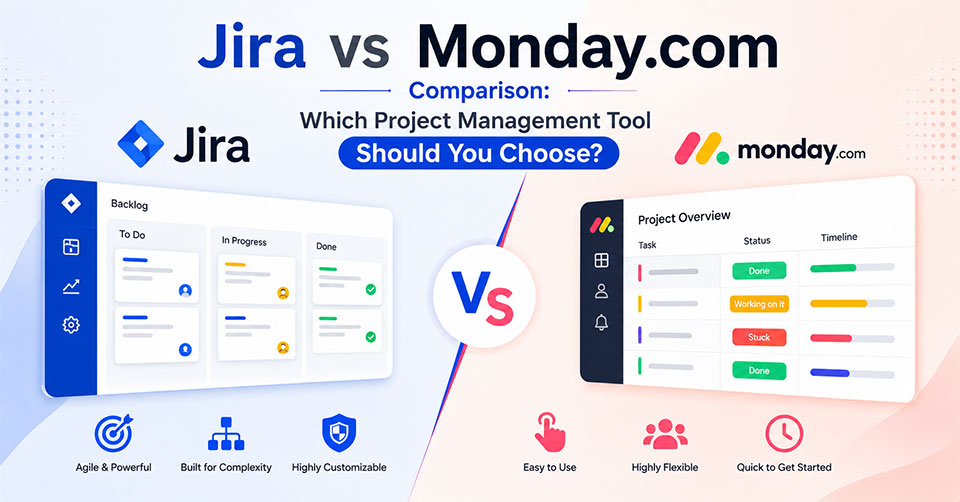
Selecting the right project management software can improve collaboration, streamline workflows, and keep projects on schedule. Whether you manage software development, marketing campaigns, or cross-functional business operations, choosing a platform that aligns with your team’s needs is essential. This Jira vs Monday.com comparison explores their features, pricing, strengths, and limitations to help you determine which solution best supports your business goals.
A Brief Overview
Although both these platforms are suitable for project planning, organization, and management, there is a slight difference between them. While Monday.com is all about work management with visualization and customization options for teams in various sectors, Jira focuses more on Agile project management and issue tracking in software development projects. Knowledge of the main characteristics of these platforms will allow you to choose the most suitable one for you.
| Feature | Monday.com | Jira |
|---|---|---|
| Task Management | Yes | Yes |
| Project Views | Board, Table, Timeline, Calendar, Gantt | List, Board, Timeline, Calendar, Backlog |
| Collaboration | Updates, Comments, File Sharing | Comments, Mentions, Issue Tracking |
| Workflow Automation | Advanced | Advanced |
| Reporting & Analytics | Dashboards and reports | Agile reports and sprint analytics |
| AI Features | Monday AI | Atlassian Intelligence |
| Integrations | 200+ integrations | 3,000+ integrations |
| Mobile Apps | Yes | Yes |
| Pricing | Free and paid plans | Free and paid plans |
What Is Monday.com?
Monday.com is a web application for managing projects, where companies can manage their projects, assign tasks, automate workflows, and collaborate in a single workspace. It is due to its easy to use interface and customization of boards that make Monday.com suitable for any business department such as marketing, sales, HR, operations, and project management, among many others.
Features
- Task and Project Management
- Several Types of Projects Views
- Workflows Automation
- Custom Dashboards
- Time Tracking
- Workload Management
- CRM Functionality
- Monday AI
- Third Party Integrations
What Is Jira?
JIRA is a project management tool for software development teams. It has built in functionality of Agile methodologies and contains Scrum, Kanban boards, sprint planning, backlogs, bug tracking, and reports. The flexibility and integration with a lot of other tools make JIRA a popular choice among developers of complicated software projects.
Features
- Agile project management
- Scrum and Kanban boards
- Issue and bug tracking
- Sprint planning
- Roadmaps
- Workflow automation
- Reporting
- Atlassian Intelligence
- DevOps integrations
How They Differ
Although both platforms support project management, they are built with different priorities in mind. Monday.com emphasizes flexibility and ease of use, allowing teams from various industries to customize workflows without technical expertise. Jira, on the other hand, is purpose-built for software development, offering advanced Agile tools, issue tracking, sprint planning, and deep customization for technical teams.
| Feature | Monday.com | Jira |
|---|---|---|
| Primary Focus | General work and project management | Agile software development and issue tracking |
| Ease of Use | User-friendly with an intuitive interface | More advanced with a steeper learning curve |
| Project Management | Flexible workflows for various industries | Designed for Agile project execution |
| Task Management | Visual task tracking and collaboration | Advanced issue tracking with dependencies |
| Workflow Automation | No-code automation for business workflows | Rule-based automation for development processes |
| Reporting & Analytics | Business dashboards and performance reports | Sprint reports, velocity charts, and Agile analytics |
| Resource Management | Built-in workload and capacity management | Limited native resource management |
| Integrations | 200+ popular business integrations | 3,000+ integrations through the Atlassian Marketplace |
| Customization | Easy visual customization | Extensive configuration for technical workflows |
User Experience
Monday.com has such features as user-friendly interface, drag-and-drop, templates that help users to make a fast start. In turn, Jira has a complex interface designed for advanced Agile approach; however, it is flexible enough to be used by the software development team.
Managing Projects and Tasks
Monday.com offers a variety of ways to organize tasks, including boards, timelines, calendars, Gantt charts, and dashboards. Therefore, it can be applied in various aspects of a business. At the same time, Jira is designed specifically for software development.
Collaboration
The Monday.com tool supports collaboration via shared workspaces, comments, file sharing, and updates. The Jira tool focuses on collaborating inside development teams via issue discussion, mentions, and seamless integration with other Atlassian tools.
Automation Capabilities
When looking at automation capabilities, Monday.com features no-code automation that simplifies routine processes such as assignments, updates of task statuses, and notifications. The Jira tool provides rule-based automation suited for Agile development and is designed to facilitate various technical processes to develop teams.
Performance and Reporting Tools
The Monday.com tool features customizable dashboards that enable users to track project progress, team performance, and workload in real-time. The Jira tool provides Agile reporting including sprint reports, velocity graphs, burndown graphs, and more.
Integration Ecosystem
Monday.com offers integration with more than 200 software applications, including Slack, Google Workspace, Salesforce, and Microsoft Teams, thus allowing for easy centralization of all workflow processes. On its part, Jira integrates with more than 3,000 software applications via the Atlassian Marketplace, providing a rich ecosystem of integrations with development, DevOps, and collaboration software.
Pricing
| Pricing Factor | Monday.com | Jira |
|---|---|---|
| Free Plan | Yes | Yes |
| Starting Paid Plan | From $9 per user/month (billed annually) | From $7.91 per user/month |
| Pricing Model | Tiered pricing based on users and selected features | Tiered pricing based on users and plan level |
| Scalability | Suitable for small teams to large enterprises | Scales from small development teams to enterprise organizations |
| Advanced Features | Available in higher-tier plans, including enhanced automation, dashboards, and security | Premium plans include advanced Agile features, analytics, administration, and enterprise controls |
Strengths and Weaknesses
Monday.com
Strengths
- User friendly user interface
- Very customizable workflows and dashboards
- Effective automation without coding skills
- Superb collaboration options for corporate employees
- Applicable not only to software development but to different businesses
- Numerous integrations for businesses
Weaknesses
- Most advanced functionalities are available only on premium tiers
- Agility is inferior to that of Jira
- Price goes up along with the size of the team
Jira
Strengths
- Agile management tools
- Strong issue and bug tracking
- Flexible workflow customization
- Great reporting and sprint analytics
- Extensive integration options in Atlassian Marketplace
- Solid DevOps and software development support
Weaknesses
- Higher learning curve
- Complex interface for nontechnical teams
- Limited resource management options
Conclusion
The selection of Monday.com and Jira will be based on the particular workflow and technology of the team along with the complexity of the project.
Monday.com is a great fit for companies who want to have a versatile and easy to use work management system that has a visual interface, automated processes, and many other useful collaboration tools. It is perfect for Marketing, HR, Sales, Operations, and other businesses managing multiple projects.
Jira is more appropriate for software development teams that use agile frameworks and need to plan sprints, track issues, and have powerful reporting tools.
Frequently Asked Questions
What is the main difference between Jira and Monday.com?
Monday.com is a flexible work management platform designed for teams across different industries, while Jira is purpose-built for Agile software development, issue tracking, and sprint management.
Is Monday.com easier to use than Jira?
Yes. Monday.com offers a more intuitive interface and requires less technical expertise, making it easier for new users to adopt. Jira has a steeper learning curve but provides greater flexibility for development teams.
Which platform is better for Agile project management?
Jira is generally the stronger choice for Agile teams because it includes native Scrum and Kanban boards, sprint planning, backlog management, and advanced development reporting.
Can both platforms integrate with third-party applications?
Yes. Both platforms integrate with popular business applications such as Slack, Microsoft Teams, Google Workspace, and Zoom. Jira also offers thousands of additional integrations through the Atlassian Marketplace.
Do Monday.com and Jira offer free plans?
Yes. Both platforms provide free plans with essential project management features, along with paid plans that unlock advanced automation, reporting, security, and administrative capabilities.
Which platform is better for non-technical teams?
Monday.com is generally a better fit for non-technical teams because of its visual interface, flexible workflows, and ease of use, while Jira is better suited for software development and engineering teams.